Start a website from a template or a description
Describe your business and let the AI make a first version, or start from a ready-made template.
On this page
You start a new website in one of two ways: describe it and let the AI make a first version, or pick a template that is ready right away. Either way, you can change everything later in the editor.
Start from a description
-
On the Describe your website page, describe your website in the big box. Say what kind of business it is, where it is and what visitors should be able to do. While you type, The AI now knows shows which of these the AI understood: Type of business, Location and What visitors do.
For example: “A website for The Daily Roast, a small coffee roastery in Utrecht. Visitors read about our beans, see the café’s opening hours and order a coffee subscription.”
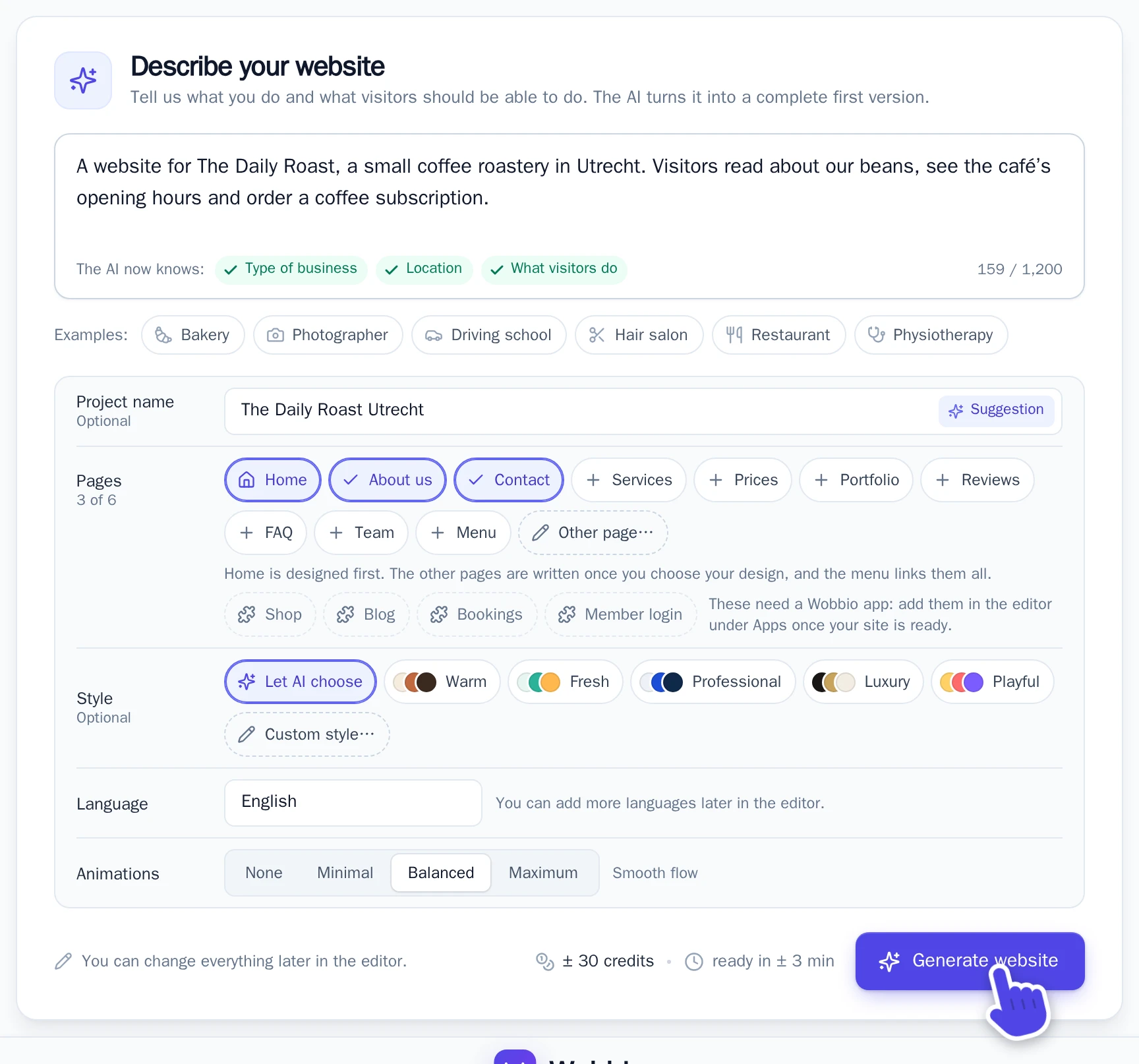
The Describe your website page. -
Check the choices under the box. All of them are optional:
- Project name: leave it empty to get a name from your description.
- Pages: Home is always there, About us and Contact are ticked. Tick more, or add your own with Other page…, up to six pages. A shop, blog or bookings come later as an app, see Sell online with a web shop and Start a blog.
- Style: Let AI choose, pick a ready style, or describe your own colours with Custom style….
- Language and Animations: the language of the texts, and how much moves on the page.
-
Select Generate website. Next to the button you see about how many credits it uses and how long it takes.
-
The AI makes your home page first. Look at it, then select I like this one to keep it, or Generate another one to change your description and get a new design.
-
After I like this one, Wobbio sets up your menu, header and footer and writes your other pages. This can take a few minutes. You can close the tab: you get an email when your website is ready to edit.
Start from a template
A template costs no credits and is ready right away. It has a home page with example texts and images, which you then replace with your own.
-
On the Describe your website page, select Or start with a template.
-
In Choose a template, choose a category at the top, then select View template on a template you like.
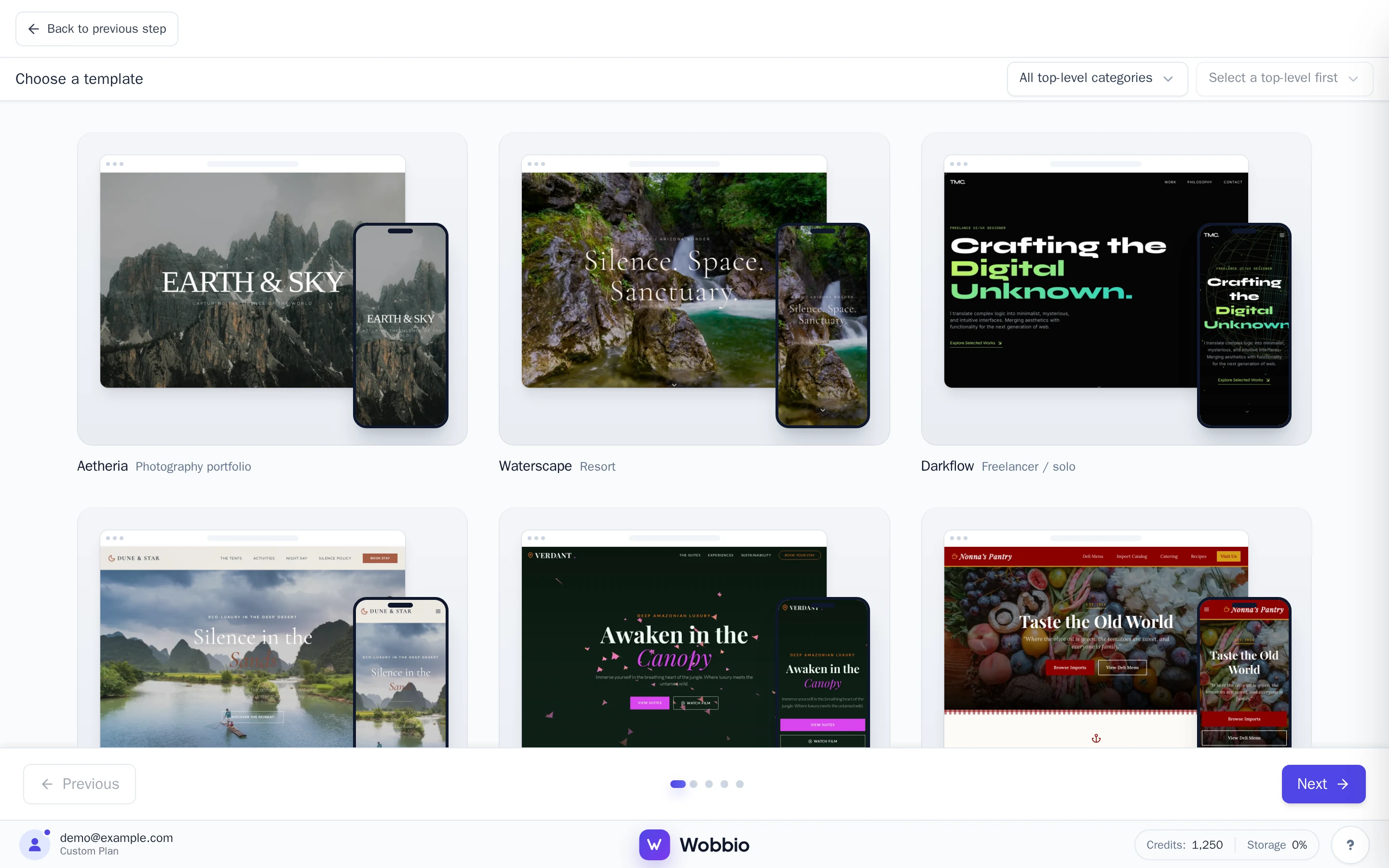
Choose a template. -
Look at the template on a computer, tablet or phone with the icons at the top. To see another one, select Back to templates.
-
Select I like this one, type a Project name and select Create project.
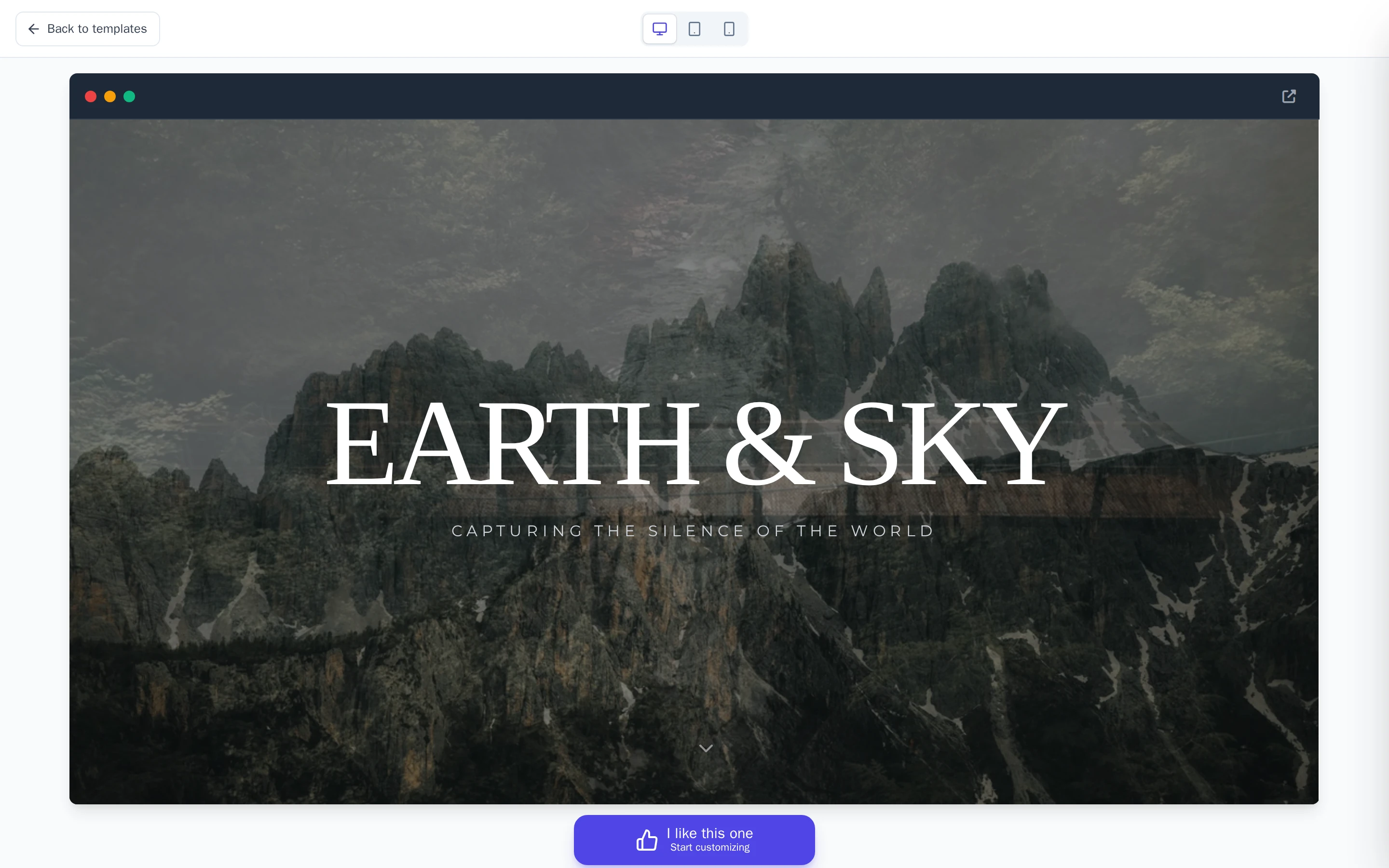
Select I like this one to start with this template.
The editor opens with your new website. On the Wobbio website you can also browse the templates and select Use this template.
After you start
Your website is in the editor now: see The editor at a glance. To change texts, colours or the layout, ask the AI chat or edit the page yourself. To add more pages, see Add a page.