Get help when you're stuck
Find the right guide from the editor, ask the AI, report an AI change that went wrong, or talk to us.
On this page
There are several ways to get help with Wobbio, right from the editor.
Find a guide in the editor
- Select the question mark at the bottom right of the editor. The Help panel opens next to your website.
- Under For what you have open, you see the guides about the window you have open. Below that are Popular guides and all Topics.
- Or type what you want to do in Search the guides, like “add a page”. You can also search for the name of a button. Press
/to jump to the search box.
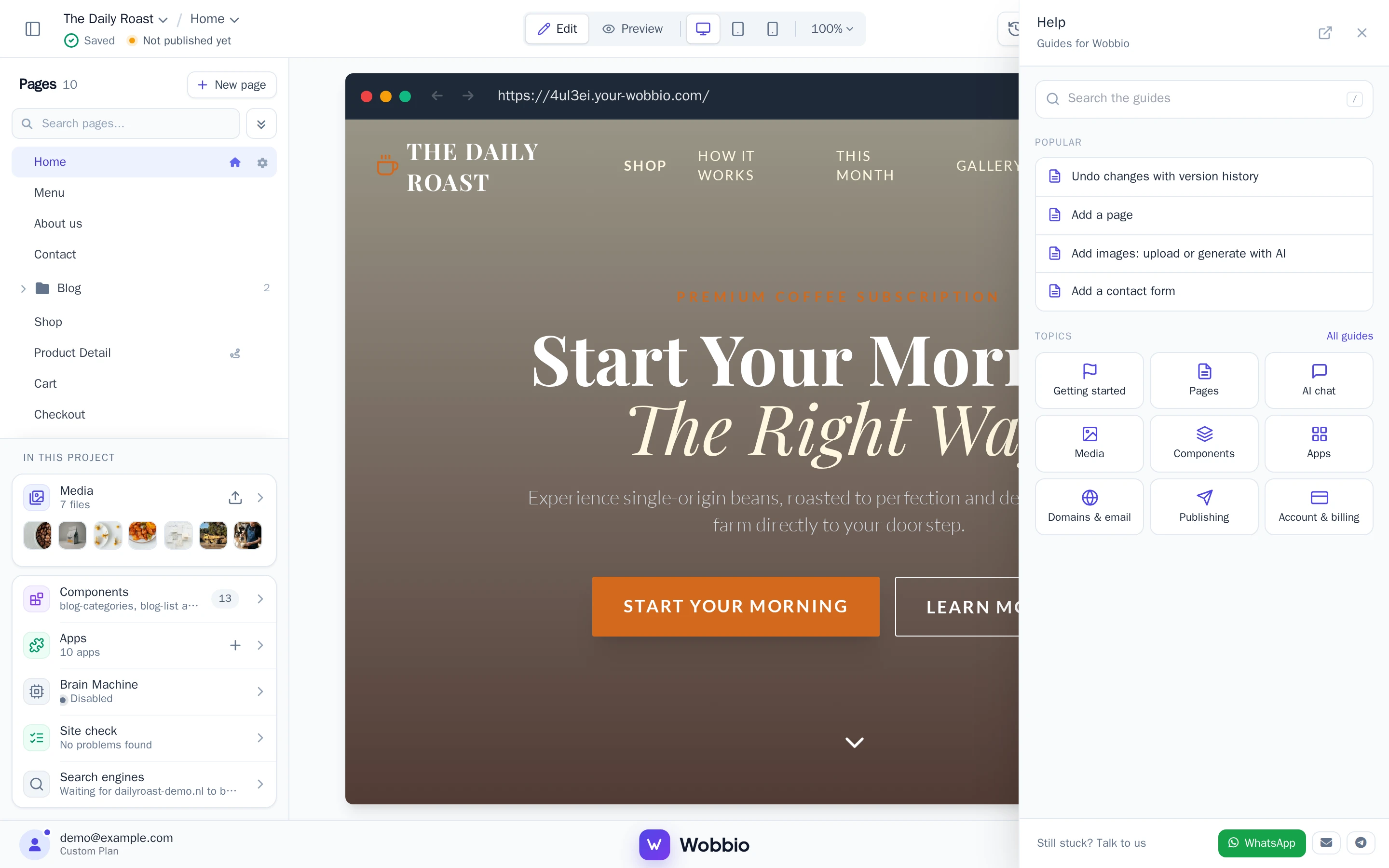
A guide opens in the panel, so your website stays in view. All guides opens the documentation in a new tab.
Was a guide not clear? Answer Did this help? at the bottom with No. We use your answers to make the guides better.
Ask the AI
Can't find it? Search in the Help panel, then select the line below the results that offers to ask the AI. The AI chat opens, looks it up in the guides and answers you. This uses a few credits, like every chat.
An AI change went wrong
First, put your website back the way it was with Undo changes with version history. Then let us know:
- Below the AI's answer, at Was this AI session helpful?, select Not helpful.
- In the What went wrong? window, choose the reason that fits best.
- Under Tell us what went wrong (required), describe what you asked and what happened instead.
- Select Send report.
We look at the AI session and your checkpoints. If a bug in Wobbio caused the problem, you get the credits of that session back.
Talk to us
At the bottom of the Help panel, under Still stuck? Talk to us, you can reach us on WhatsApp, by email or on Telegram. Tell us which website it is about and what you were trying to do.
Share an idea or report a bug
Select your account at the bottom left of the editor, then Feedback. On the feedback page you can add an idea or report a bug, and vote and comment on what others posted. You see there when something is done.