Get found on Google and Bing
Your sitemap and robots.txt are made for you. See what search engines find, hide pages and add your website to Google Search Console.
On this page
Search engines like Google and Bing show websites on a real domain. As soon as your website is published on your own domain, Wobbio makes a sitemap and a robots.txt for it and keeps them up to date. Your free subdomain always stays hidden from search engines, so drafts never end up in search results.
Open Search engines
-
In the sidebar, select Search engines. The line under it shows how your website is doing, for example Publish to create your sitemap.
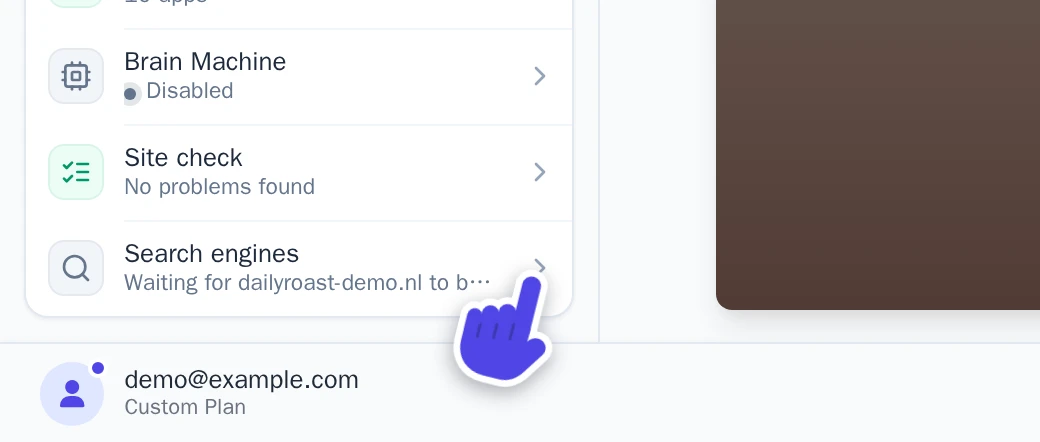
Search engines in the sidebar. -
The Search engines window opens, with the tabs Overview, Pages, robots.txt and Google.
Without a verified domain, the window says what is missing and offers Connect a domain or Buy a domain.
What search engines see
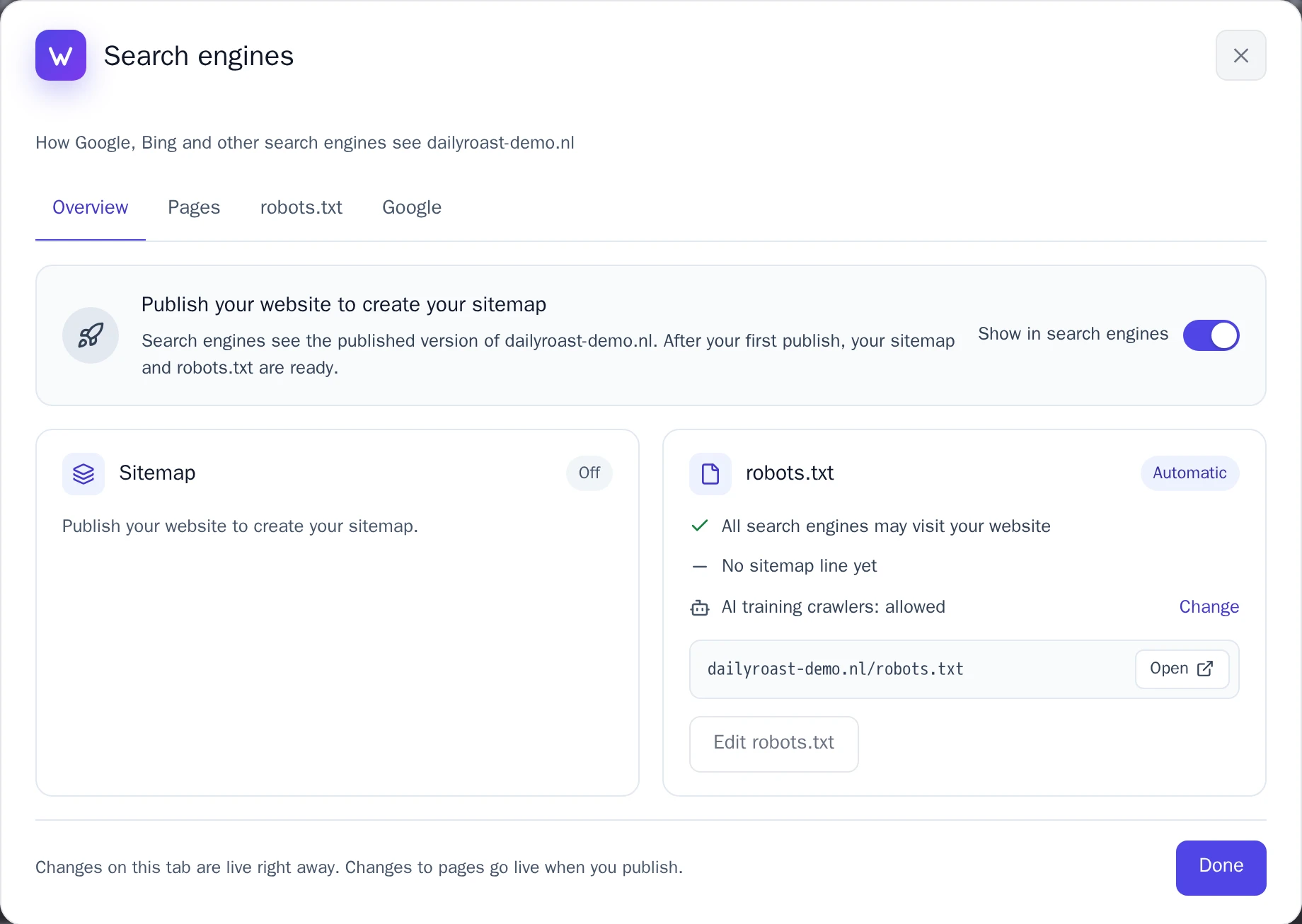
- Sitemap: the list of addresses search engines may show, at
yourdomain.com/sitemap.xml. It has your pages, and also blog posts, products, categories and galleries from your apps. You see how many addresses it has and when Google last read it. - robots.txt: tells search engines they may visit your website and where your sitemap is. It is at
yourdomain.com/robots.txt. - Show in search engines: turn it off to hide your whole website, for example while it isn't ready yet. Every page then asks search engines not to show it, and the sitemap is switched off.
Every page tells search engines its address on your main domain. So if more of your domains show the same website, search engines know which address to show.
Hide a page
Some pages don't belong in search results, like a thank-you page after a form.
- Open the Pages tab.
- Turn off the switch next to the page.
- Select Save changes, then publish your website.
A hidden page is left out of your sitemap, but visitors with the link can still open it. Pages only for logged-in visitors and the 404 page are always hidden. You can also do this per page, in the page details.
Change robots.txt
On the robots.txt tab, Automatic is the best choice for almost every website: Wobbio writes robots.txt for you.
- To ask companies that train AI models not to use your pages, turn on Block AI training crawlers. Google Search and Bing are not affected.
- To write your own, select Custom. Every line is checked while you type, and Test an address shows whether a crawler may open an address. Select Save robots.txt. To go back, select Reset to automatic.
Changes on this tab, and on the Overview and Google tabs, are live right away, without publishing.
Add your website to Google Search Console
Google finds your website by itself, but in Google Search Console you can submit your sitemap and see which pages are in Google. Open the Google tab and follow its three steps:
-
Select Open Search Console, sign in with your Google account, choose Add property, then URL prefix, and enter your address. The tab shows it, with a copy button.
-
Prove that the domain is yours:
- If the tab shows Your domain is at Wobbio: in Search Console choose Domain name provider and copy the TXT record. Paste it under DNS record and select Add to my DNS. Your other DNS records stay as they are.
- Otherwise: in Search Console choose HTML tag, copy the tag, paste it under Google HTML tag and select Save tag.
Then select Verify in Search Console. A tag works right away, a DNS record within an hour. Leave them in place: Google checks again now and then.
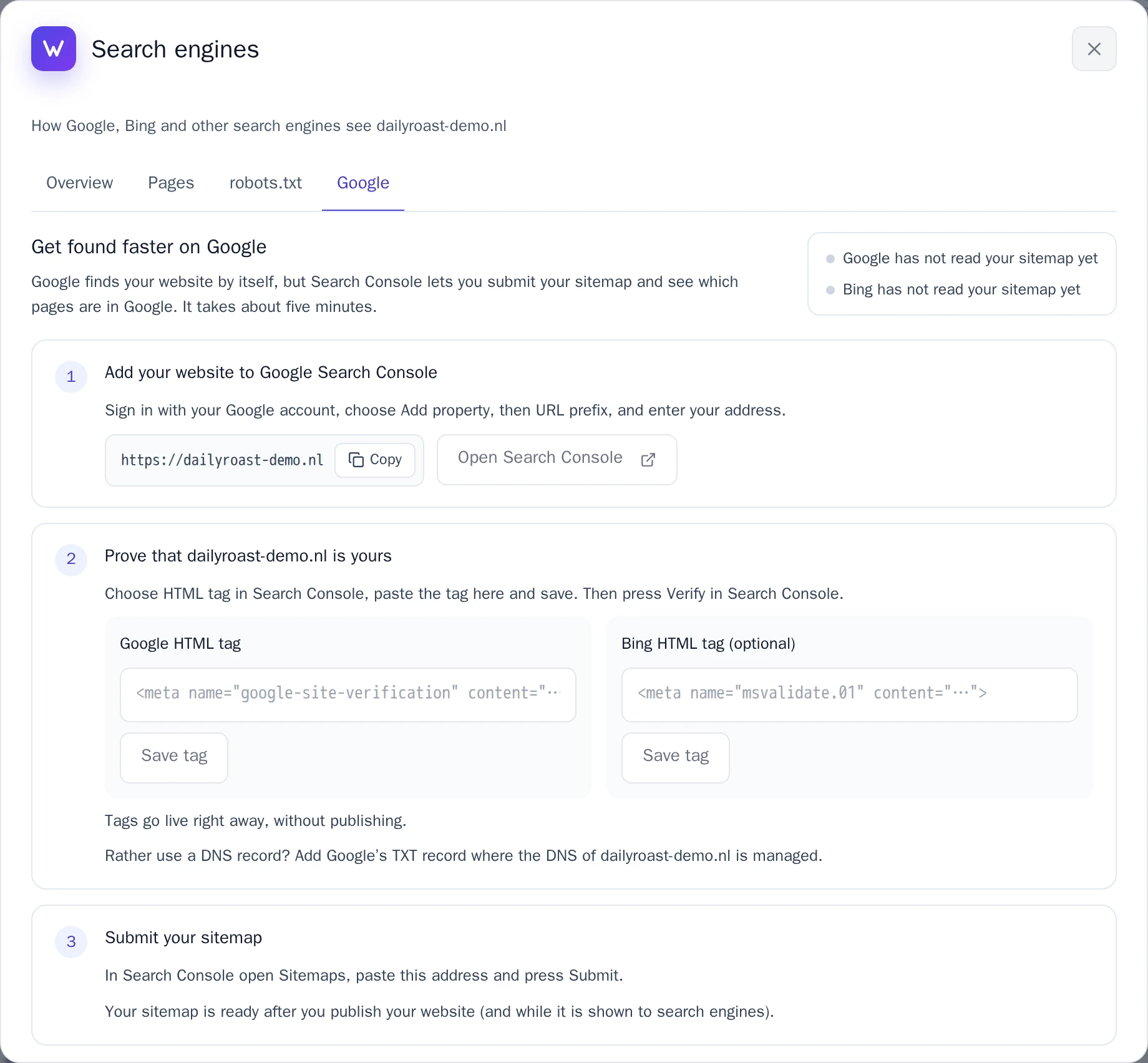
The Google tab. -
In Search Console, open Sitemaps, paste the sitemap address from the tab and select Submit.
Bing hears about changes by itself
A few minutes after a page, blog post or product changes on your published website, Wobbio tells Bing (and Yandex, Seznam and Naver) through IndexNow. You don't need to do anything: Tell Bing about changes right away on the Google tab is on from the start. Google doesn't use IndexNow; it reads your sitemap.
Warnings in the Site check
The Site check warns you when something keeps search engines away, like a hidden website or a robots.txt that blocks everything. Next to the warning, Search engines takes you to the right place. See Check your website before you publish.