Register or transfer a domain with Wobbio
Get a new domain name for your website, or move one you already have to Wobbio, so everything is in one place.
On this page
You can register a new domain with Wobbio, or move a domain you already have to Wobbio. A domain at Wobbio is easy to link to your website: Wobbio sets the DNS records for you.
Find a domain name
-
In the editor, select Publish at the top right. The Publish & domains window opens.
-
At the bottom, under No domain name yet?, select Search domain names. The domain search opens in a new tab.

Select Search domain names. -
Type the name you want, for example
dailyroast.com, and select Search.
You see right away whether your name is still free, and the same name with other endings, like .net or .org, with their prices.
Register a domain
-
Next to the domain you want, select Register. It moves to the Order summary on the right.
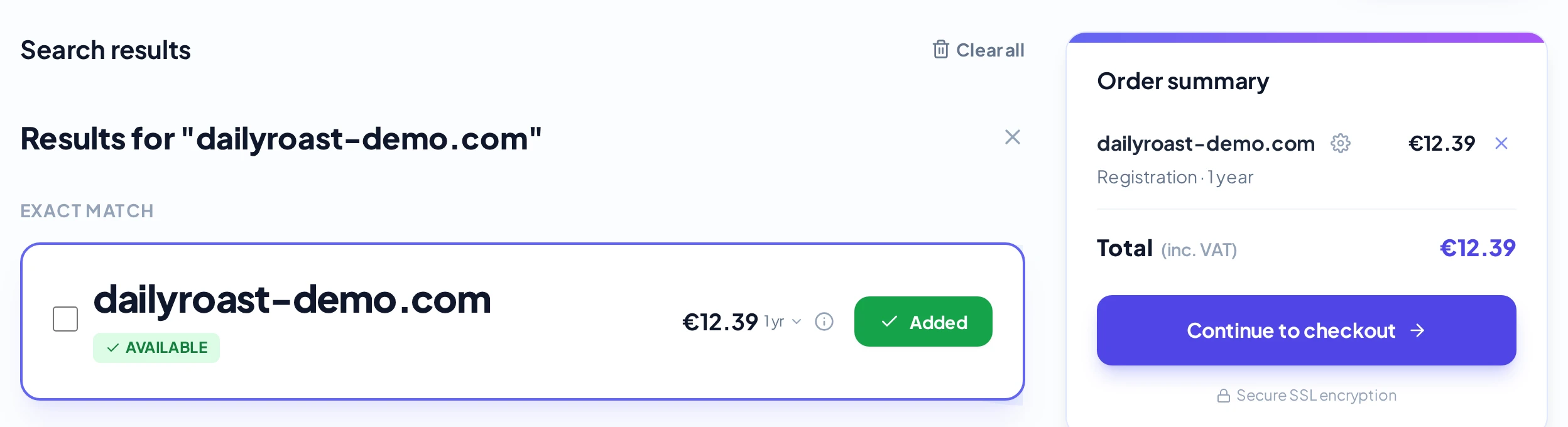
A free domain in the Order summary. -
Want to change the details? In the Order summary, select the gear icon next to the domain. The Configure domain window opens. You can choose:
- Registration years: register it for more years at once, at a discount.
- Domain holder details: who owns the domain. These are your billing details, unless you fill in someone else.
- Nameservers: keep Use Wobbio nameservers (default), so Wobbio can set the DNS records for you.
Select Save configuration.
-
Select Continue to checkout, fill in your billing details and pay.
The price in the search is for the first year. You see the price for the next years in your order. Your domain renews every year by itself, so it doesn't expire by accident. Privacy protection is included where the domain ending allows it, so your personal details aren't shown publicly.
You get an email when your domain is ready.
Transfer a domain you already have
- At your current provider, unlock the domain and ask for the transfer code (also called auth code or EPP code).
- Search for your domain as above. Because it is taken, you see Transfer next to it.
- Type the transfer code in the Transfer code field, select Transfer, and order it like a new domain.
- Watch your email: you may get a message to approve the transfer. Select the link in it.
A transfer usually takes 5 to 7 days.
Link the domain to your website
Add the domain to your website like in Connect your own domain. Because the domain is at Wobbio, you don't need to set any DNS records: Wobbio does that for you.
Manage your domains
All your domains are on the Domain names page. Open it at the bottom left of the editor: select your account, then Domain names. There you can see the status of each domain, turn renewal on or off, and change its DNS records.